TechEniac engineered an AI-powered portfolio and discovery platform designed to give skilled workers a stronger digital presence and help them connect with the right opportunities. The platform uses AI to transform workers’ project content into professional portfolios while making it easier for clients to discover their skills, experience, and work. Built around the needs of skilled workers, the platform creates a more accessible and structured way to showcase their expertise, discover opportunities, and build meaningful connections.

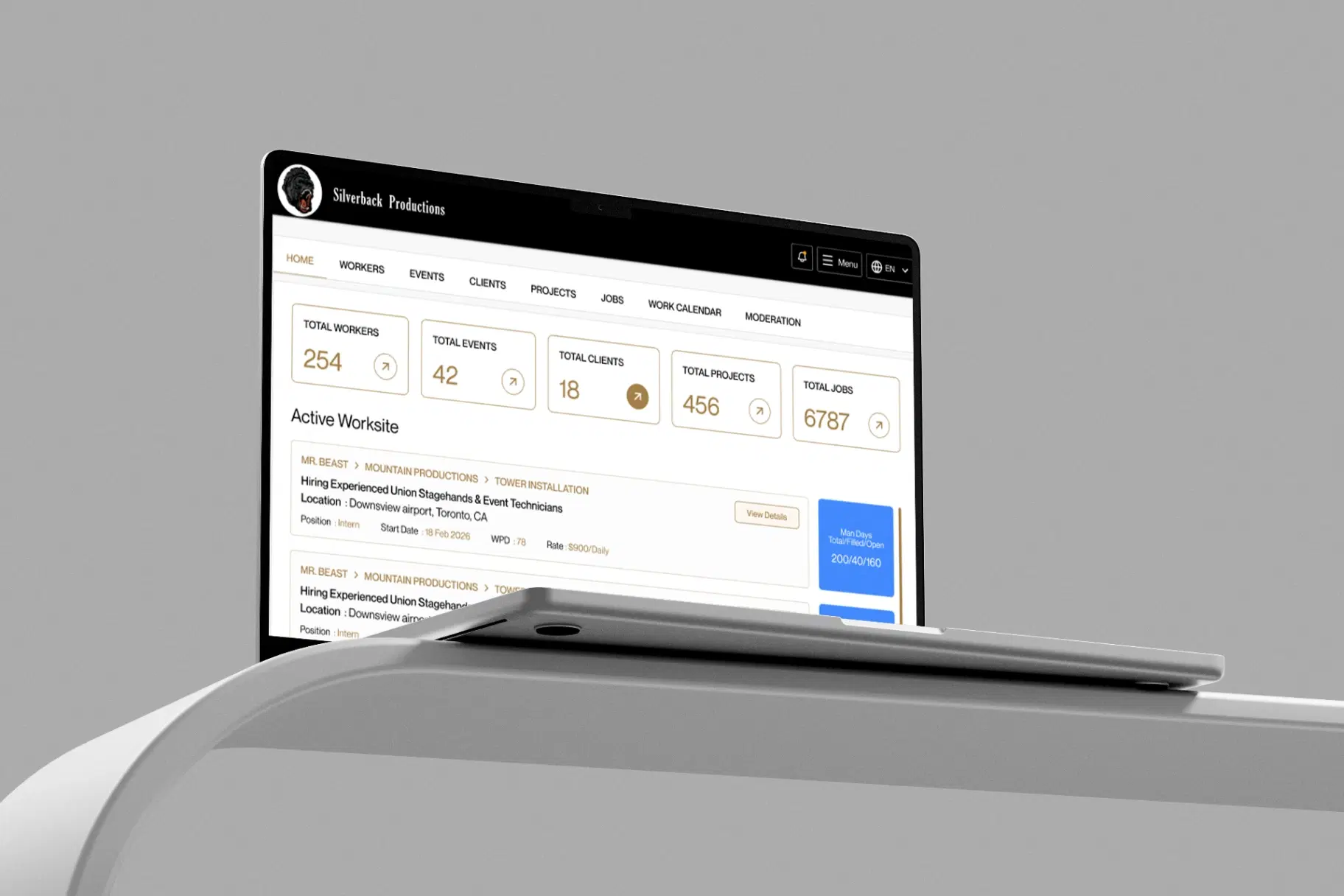
Silverback Production is the company for which this custom workforce management platform was built. The platform was developed to help the company manage its workforce, coordinate operational activities, and bring key day-to-day processes into one connected system.
Built as an ongoing product, Silverback continues to evolve around the operational needs of the business, supporting a more structured and efficient approach to workforce management.
As Silverback Production’s workforce operations grew, managing jobs, staffing, schedules, communication, and attendance across disconnected processes became increasingly difficult. The team needed a more structured way to coordinate day-to-day workforce operations while giving administrators and field workers the right tools for their respective needs.
A multi-day project rarely needs the same number of workers every day. Some days may require a larger crew, while others need only a smaller team or different shift times. Managing this through spreadsheets or a basic calendar makes it difficult to see exactly where workforce gaps exist. A single total headcount can hide the fact that one critical day is understaffed while another has more workers than required.
Workers can accept an opportunity well before the scheduled work begins. Between acceptance and the actual shift, plans can change, reminders can be missed, and operational teams may lose visibility into who is still expected to attend. Silverback Production needed a clearer way to distinguish between workers who were assigned, workers who had confirmed their attendance, and workers who had actually checked in.
Stagehands and riggers aren't sitting at a desk checking email. Some don't have data plans that make push notifications reliable; some don't check email between jobs; some are driving to the site when the gate code changes. A single communication channel even a good one will always fail some meaningful slice of a crew on any given announcement, and for time-sensitive changes (a 5:30am gate change, a last-minute crew swap) that failure rate matters.
When attendance is recorded manually, the operational team has limited visibility into who actually arrived, when they checked in, when they took breaks, and when they left. For work that happens across physical locations, Silverback Production needed a more structured attendance workflow that could connect activity to the relevant job, shift, and worksite.
The people coordinating the workforce need detailed tools for planning, filtering, scheduling, and managing many records at once. Workers, on the other hand, need quick access to the information relevant to them, often from a phone while away from a desk. A single interface would create unnecessary complexity for one side or the other.
A single system of record for the full Client → Event → Project → Job Post hierarchy, so the back office isn't reconciling spreadsheets, texts, and a job board to answer "what's running this week?"
Scheduling that respects day-by-day reality different headcounts, different times, and even shifts that cross midnight rather than treating a multi-day job as one uniform block.
A hiring flow with a real distinction between an accepted offer and a verified commitment, backed by automated reminders instead of relying on an admin to chase people down.
A way to reach the crew that doesn't assume everyone reads their email or has push notifications enabled including a path to reach someone by an actual phone call for anything urgent.
Two purpose-built interfaces , one for the operational back office, one for a mobile-first field crew rather than a single compromise UI serving both.
A record of who was actually on-site, tied to a specific location, not just who was scheduled to be.
A platform that could continue evolving with the business as workforce size, concurrent jobs, operational requirements, and language needs grow.
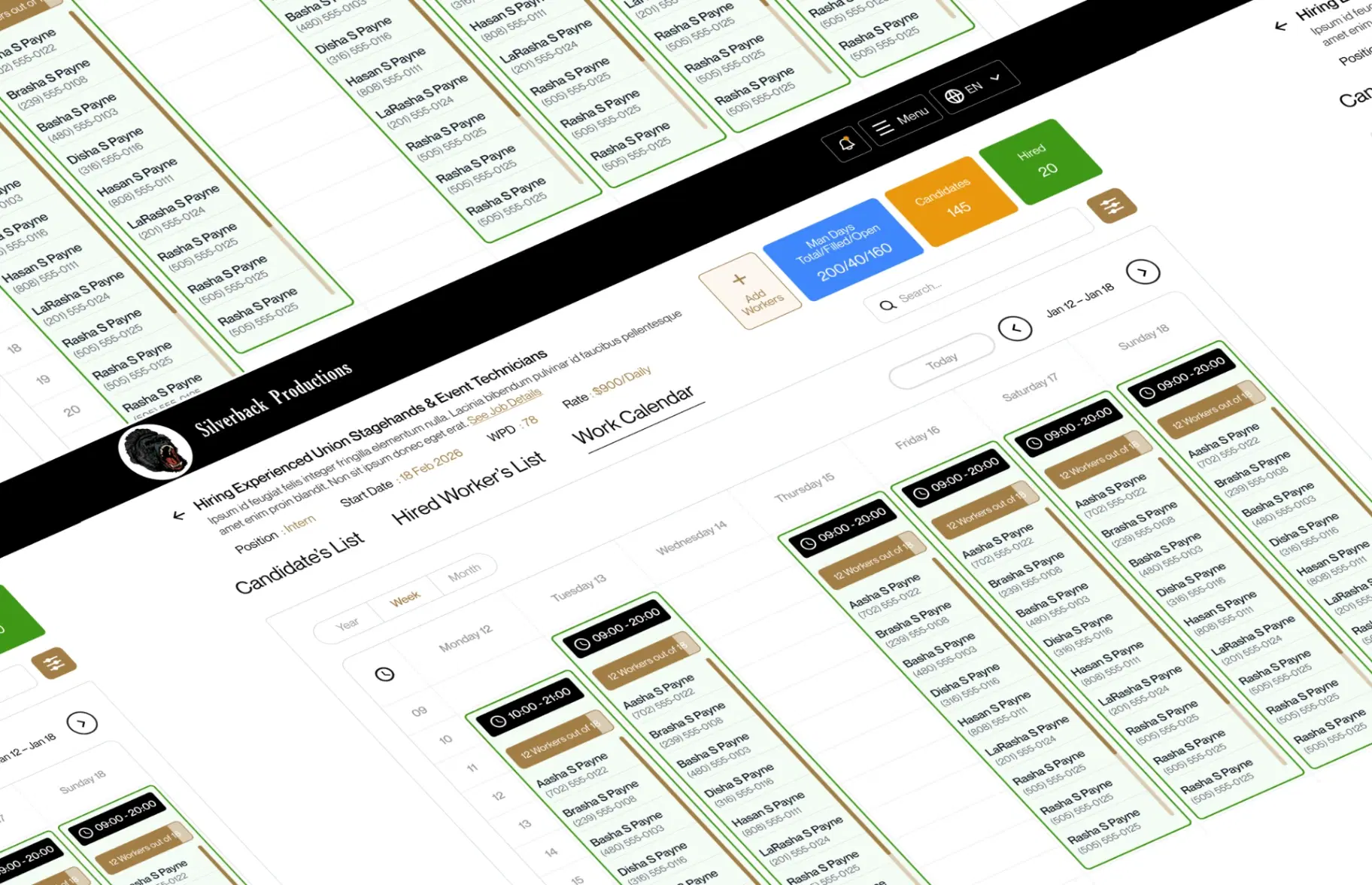
Instead of one headcount per job, every working day is its own row: a date, a start and end time, and when a day genuinely needs more or fewer people than the job's default its own headcount override. A five-day festival build can ask for twenty-five hands on the heavy load-in day and eight on each show day, and the platform's fill metrics report against each day independently rather than averaging them into a misleading single number. Building this schedule is a drag-based timeline editor rather than a form with rows to fill in one at a time an admin resizes and repositions shift bars directly, which turns a tedious multi-field data-entry task into something closer to laying out a calendar by hand.

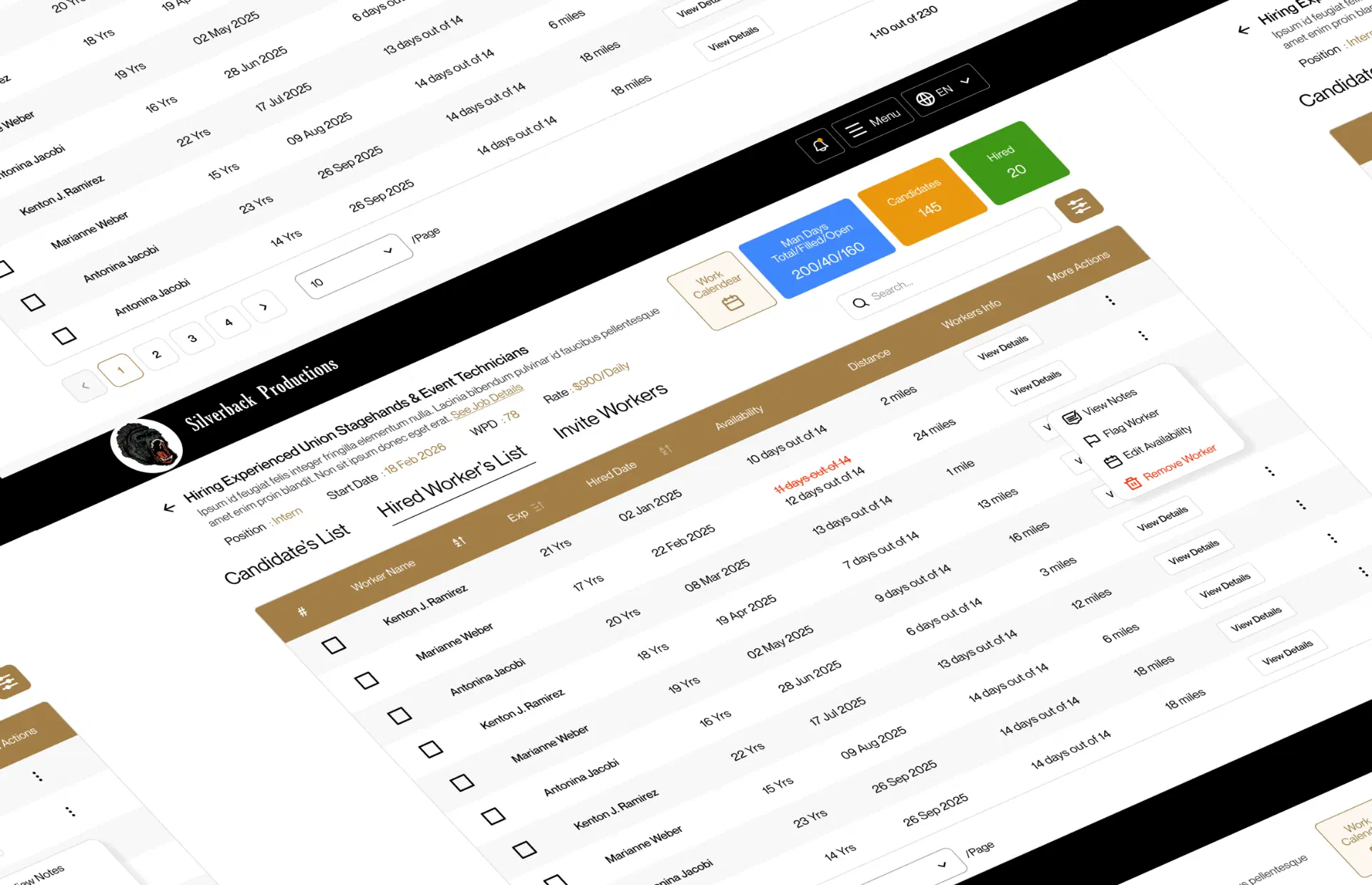
Being assigned to work in Silverback is treated as more than a single status change: the operational team can track the assignment, while the worker can separately confirm that they still intend to attend. The platform automates the nudge that makes this work in practice: a two-week-out reminder, then a same-day-morning confirmation request sent across four channels at once (in-app, push, email, and text) to anyone who's accepted but hasn't yet confirmed. A worker who never responds simply stays visibly "unconfirmed" on the admin's roster a gap the admin can see and act on days before it becomes a no-show on site.

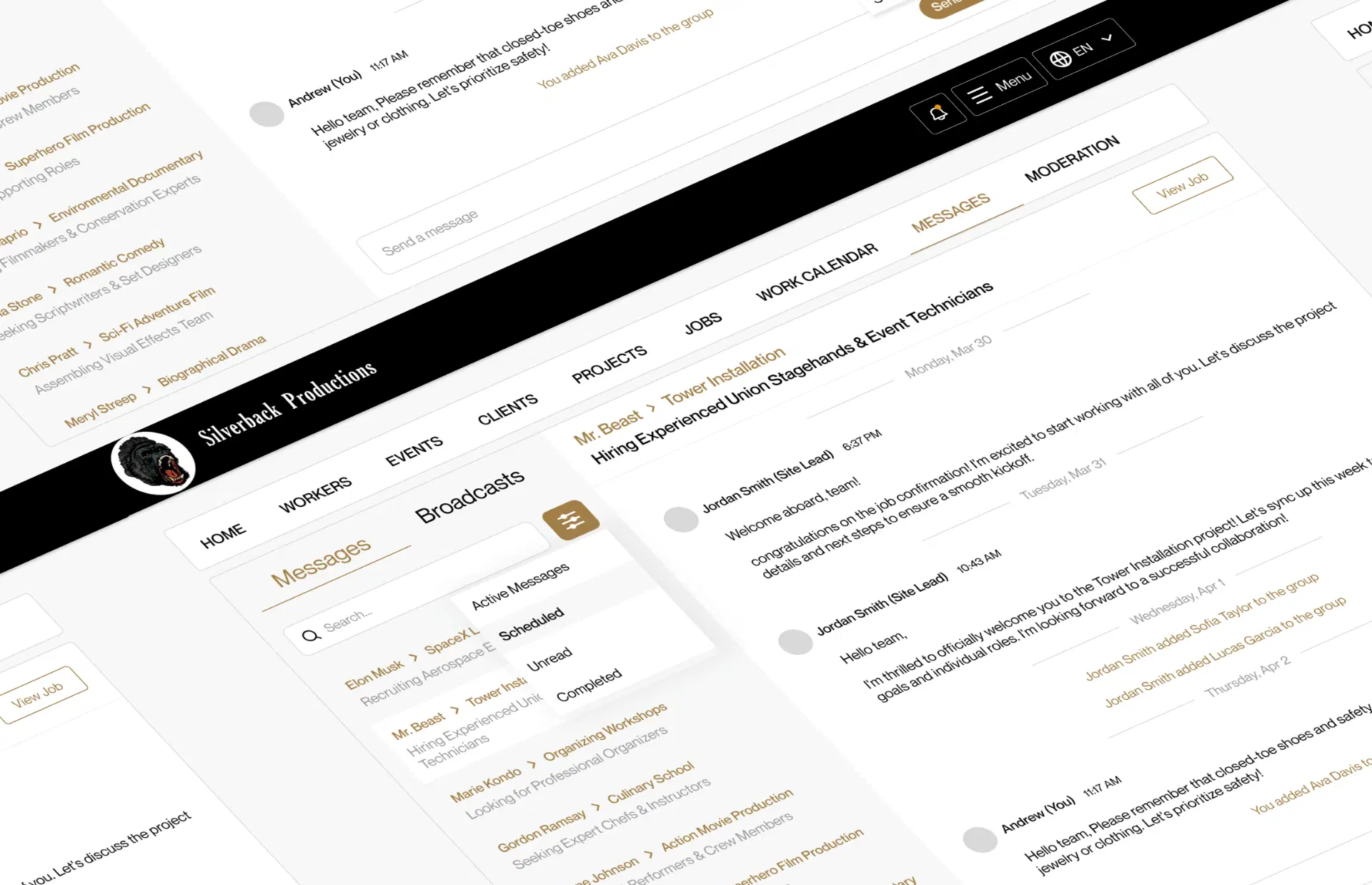
Two distinct communication tools exist because they solve different problems. A per-job group chat gives the confirmed crew and their supervisors a live, two-way channel once they're actually committed to the job. A separate broadcast tool sends one-way announcements to a defined audience everyone on a project, every site lead, every worker on an event across up to five channels at once: email, text, push/in-app, an automated voice call, or a voicemail that records and transcribes the recipient's spoken reply. The channel selection is deliberately proportional to urgency a routine update goes out as a notification and an email; a same-day gate change goes out with a phone call attached, because that's the one channel that reaches someone who's already driving.

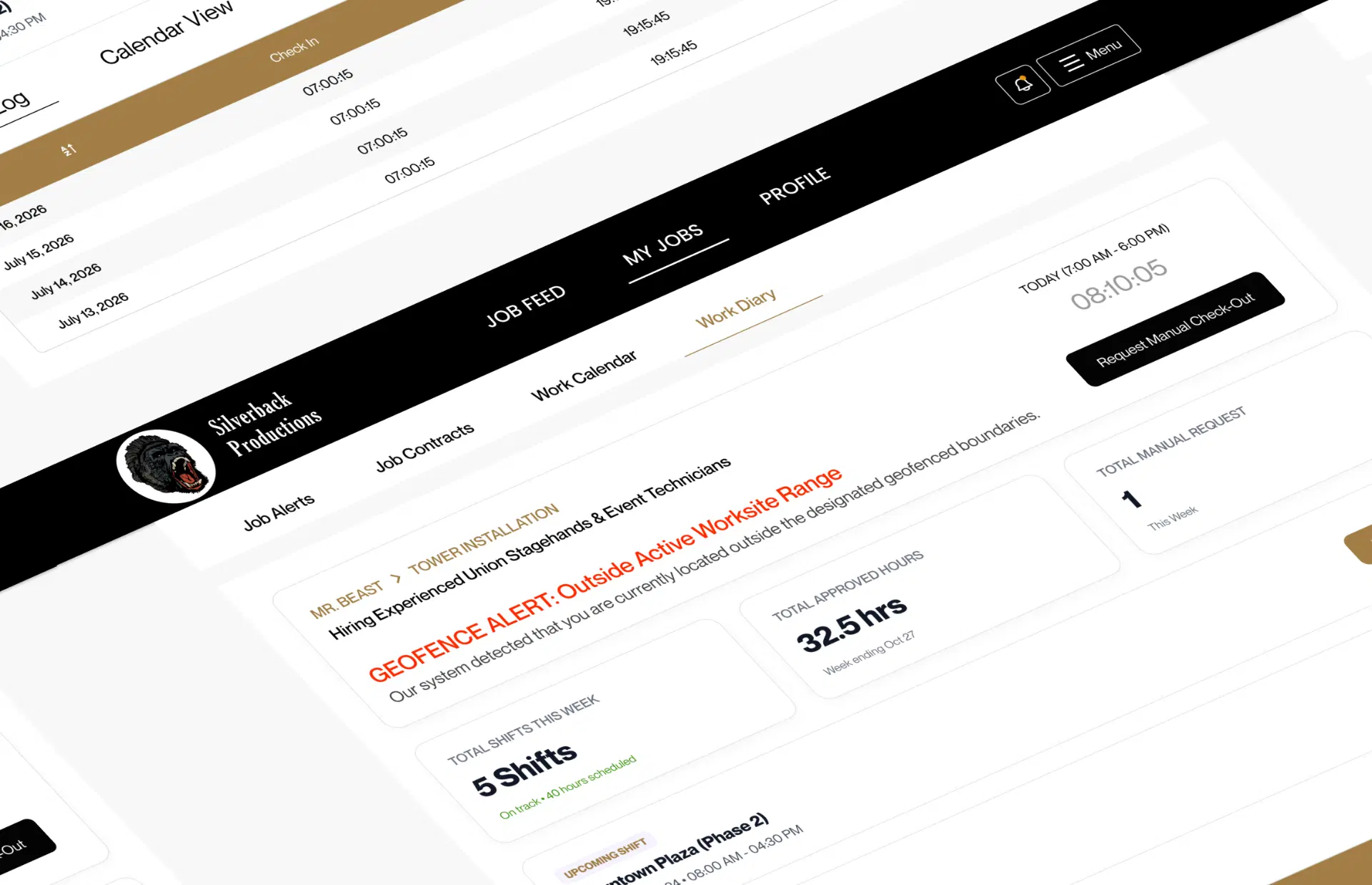
Beyond the commitment chain, the platform can confirm a worker is physically at the worksite before recording a check-in: the worker's app captures their GPS position, and the distance from the job site is calculated and verified server-side against a fixed radius not just accepted from whatever the client app reports. Check-in, break start/end, and check-out are each their own timestamped event, tied to the specific shift the worker is on, giving the back office an actual attendance record instead of an assumption built entirely from the hiring status. For the inevitable missed check-in a dead phone, a signal dead zone a worker can submit a correction request explaining what happened, which sits in a queue built for administrative review.

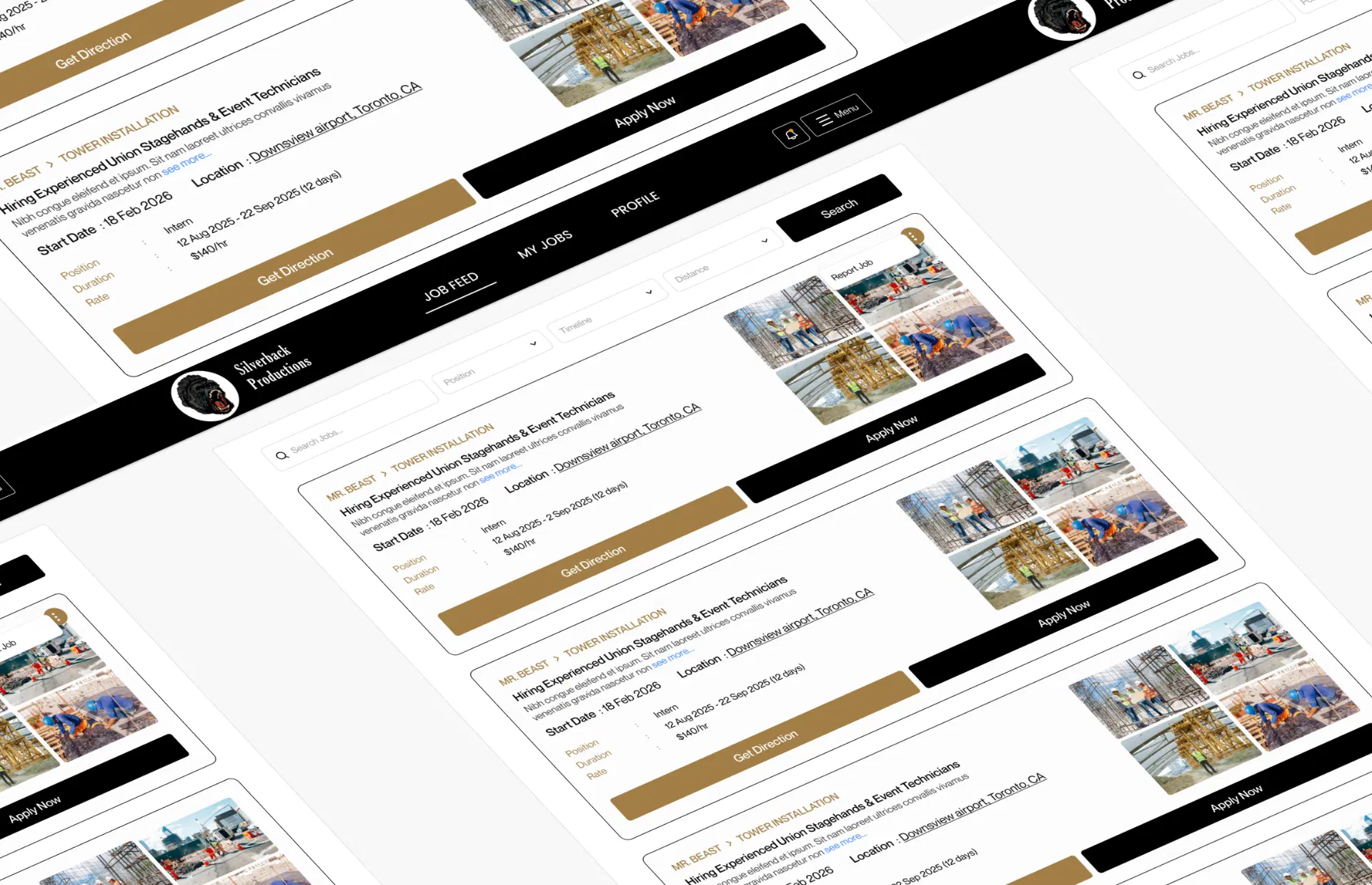
The admin dashboard is a dense, desktop-oriented workspace: filterable candidate lists, bulk hiring actions, a cross-entity work calendar, delivery-status reporting on every broadcast sent. The worker portal is built mobile-first and installs as a home-screen app, with push notifications, a simplified job feed, and a "Get Direction" button that opens turn-by-turn navigation straight to the worksite. Both run off the same backend and the same data, but neither one is a scaled-down version of the other they're designed for genuinely different jobs.

A job's fill status has to survive uneven, per-day headcounts
Fill status is computed per working day and rolled up into four distinct figures - total required ("man days"), positions actually filled (capped at each day's own requirement so a surplus on one day can't count toward another), surplus beyond a day's requirement, and positions still open. A job is only "full" once every individual day clears its own bar.
Shifts that cross midnight break naive date comparisons
Working days carry an explicit flag marking whether a shift ends on the following calendar day, and the nightly status-rollover logic accounts for it directly rather than inferring it from the start and end times.
Multi-step writes have to survive concurrent requests
Sequences like these are wrapped as single atomic transactions, so either the entire sequence commits together or none of it does. The worker-ban flow goes further with a UX safeguard on top of the atomicity: before an admin can confirm a ban, the system shows exactly which upcoming jobs and which specific days will lose that worker, so the irreversible action is taken with full information rather than discovered after the fact.
A stolen refresh token shouldn't stay valid indefinitely
Every refresh call checks the presented token against the one actually stored for that user. A cryptographically valid token that doesn't match the stored value means a rotation has already happened without this caller's knowledge a reuse signal and the response is to immediately null out the stored token and force re-authentication, rather than quietly issuing a new pair of tokens.
Admin and worker sessions need to coexist in one browser
The two portals run fully independent, separately scoped authentication configurations distinct cookie names, distinct session tokens, distinct token caches built from one shared factory rather than duplicated by hand. Logging into one portal has no effect on a session already active in the other.

Years of Continuous Product Development
Evolving Silverback’s workforce platform through ongoing features, workflow improvements, and product development.
Dedicated Platforms for 2 Core User Groups
Separate admin and worker experiences designed around their specific operational needs.
Connected Workforce Workflow
Connecting Client → Event → Project → Job Post to structure operations and staffing.
Core Data Models Powering the Platform
A robust data foundation supporting the platform’s workforce and operational workflows.
Hour Shift Scheduling Support
Supporting overnight and cross-day shifts for real-world workforce scheduling.
Frontend
Authentication
Internationalization & PWA
Backend
Database & ORM
Real-Time Communication
Security
Cloud & Storage
Notifications & Communication
AI & Voice
FinTech / InsurTech- Insurance Claims Processing
ClaimBot An AI-powered insurance claims chatbot that automates FNOL intake across web and voice channels. ClaimBot reduced claims processing time by 78%, integrated with Guidewire and Duck Creek, and generated FCA-compliant audit records for every interaction.

Edtech
Managing multiple brand accounts with a content team that can't keep up? That's the exact problem ContentForge AI was built to solve. Let's talk about yours.